LinkedIn Optimization for Job Seekers: Turn Your Profile Into a Recruiter Magnet
Recruiter behavior
Search first
Most recruiters begin with keyword search, then scan headline, title, and recent outcomes.
Your LinkedIn profile is a searchable resume. Recruiters don't browse - they search. If your profile doesn't match their query, you don't exist.
Before optimizing LinkedIn, make sure your actual resume is clean. The same rules apply. Use the resume builder to create a strong foundation, then review Making Your Resume ATS-Friendly: A Practical Guide and ATS Systems Explained: How to Beat Them.
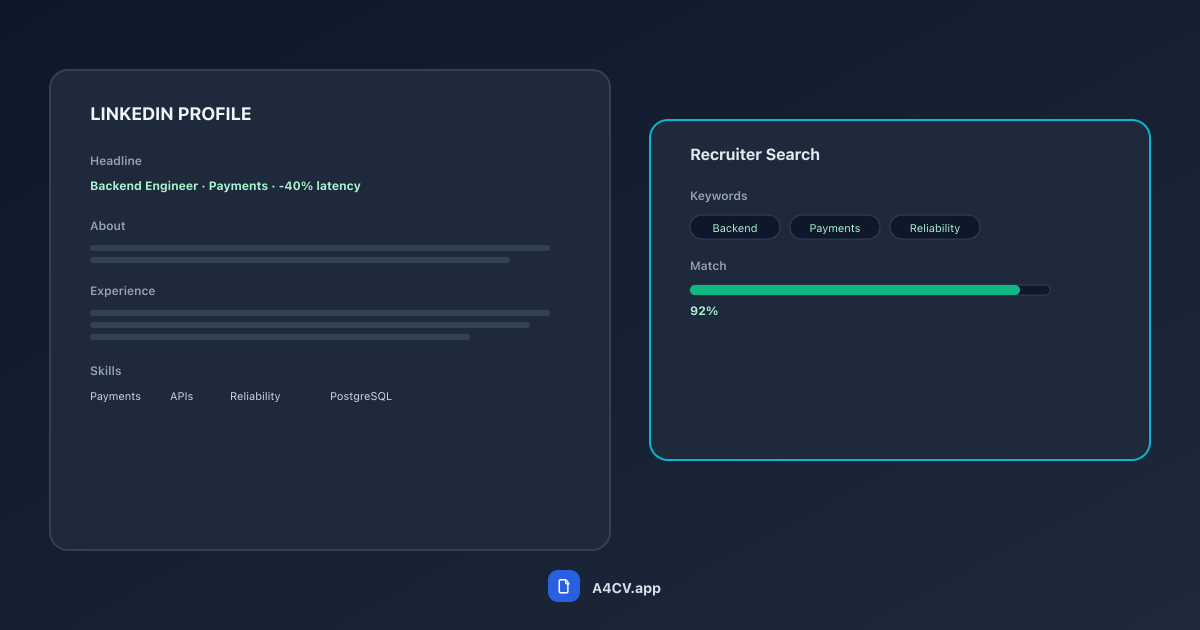
Recruiters search by keywords, then scan your headline and recent role. Optimize for those first.
How recruiters actually search
Recruiters use filters and keyword queries, then scan results fast. If your headline and recent experience don't align with the role, you disappear from results.
Your profile needs three layers of signal:
- Searchable keywords that match your target roles
- Clear evidence of impact in your recent roles
- A credible story from headline to experience
The profile foundation
Headline: make your role obvious
Your headline should answer two questions: what do you do, and what are you good at? Avoid vague labels.
Weak: "Tech professional | Open to work"
That tells recruiters nothing. What kind of tech? What level?
Strong: "Backend Engineer | Payment systems | Reduced latency 40%"
This is searchable, specific, and includes a proof point.
About: short, outcome-driven, specific
The About section should read like a compact summary, not a biography. Lead with outcomes and scope.
Example:
"I build B2B SaaS infrastructure that scales. In my last role, I cut API errors by 28% and led a 4-person team through a cloud migration. Focused on backend performance, reliability, and clean developer tooling."
Three sentences. Domain, proof point, focus. That's enough.
Experience: treat it like a resume
Use bullet points with outcomes. If your resume has weak bullets, fix them first. See Top Resume Mistakes That Kill Your Chances.
Don't write paragraphs. Don't list responsibilities. Show what changed because you were there.
Keywords without keyword stuffing
- Pull 6-10 phrases from target job postings
- Use them in your headline, About section, and 2-3 experience bullets
- Avoid repeating the same phrase in multiple sections
This mirrors how ATS and recruiter searches work. It's the LinkedIn version of ATS optimization, following the same principles from ATS Systems Explained: How to Beat Them.
Profile formulas that work
Headline formula
Role + focus area + proof point
"Marketing Manager | Lifecycle & retention | Grew trial-to-paid 22%"
"Data Analyst | Revenue forecasting | Improved accuracy from 84% to 95%"
About formula
- Line 1: your domain and focus
- Line 2: one hard outcome
- Line 3: what you want next (optional)
Common mistakes
Generic headline. "Seeking new opportunities" doesn't tell recruiters what you do.
Long paragraphs in About. Nobody reads them. Keep it scannable.
Listing responsibilities instead of outcomes. "Managed a team" vs "Led a 5-person team that shipped 3 major features in 6 months."
Leaving older roles with no metrics. If a role matters enough to include, it matters enough to quantify.
Profile doesn't match resume. Inconsistent job titles or dates confuse recruiters and raise red flags.
If you're early in your career, emphasize projects and learning velocity. If you're senior, emphasize scope and decision-making. See Entry-Level Resume Guide: How to Stand Out with Limited Experience and A Simple Resume Checklist for Senior Roles.
Best practices for scannable profiles
- Keep the first 2-3 lines of About strong; that's what shows above the fold
- Make your recent role the strongest proof point
- Align your LinkedIn job titles with your resume for consistency
- Keep your profile tight - cluttered profiles are like cluttered resumes
See One Page vs Two Page Resume: When Length Matters for the same thinking applied to resumes.
The photo and banner
Yes, they matter. A professional headshot increases profile views. Your banner can reinforce your specialty - a design portfolio preview, a data visualization, or just a clean branded image.
Don't overthink it. A clear photo of your face, good lighting, neutral background. That's enough.
FAQ
Do I need "Open to Work"?
Use it if you're actively searching and comfortable being public. If you're employed, consider the recruiter-only setting.
How many skills should I list?
Enough to cover your core domain, but not a full inventory. Twenty to thirty relevant skills is usually plenty. Prioritize the ones that match your target roles.
Should I add media and links?
Yes, if they prove impact: case studies, portfolios, shipped products. Keep it focused. A few strong links beat a dozen weak ones.
Does LinkedIn replace my resume?
No. It supports it. Your resume still needs strong formatting and outcomes, as covered in Making Your Resume ATS-Friendly: A Practical Guide.
How often should I post?
Posting isn't required for job searching. But occasional posts about your work can increase visibility. Quality over frequency.
What actually matters
LinkedIn optimization isn't about gaming an algorithm. It's about making your profile easy to find and easy to trust.
Clear headline. Strong recent role. Keywords that match real experience. That's it. Do those three things well, and recruiters will reach out.
Your LinkedIn should mirror your resume. Build a clean, ATS-friendly resume with the resume builder, then use the same achievements and keywords across both.
Want a resume that reads like this article?
Open the builder and polish your resume with a live A4 preview.